

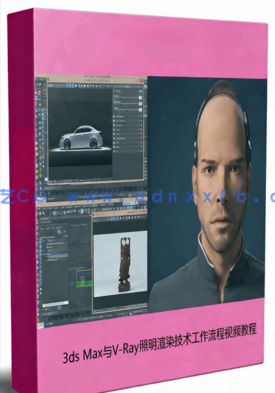
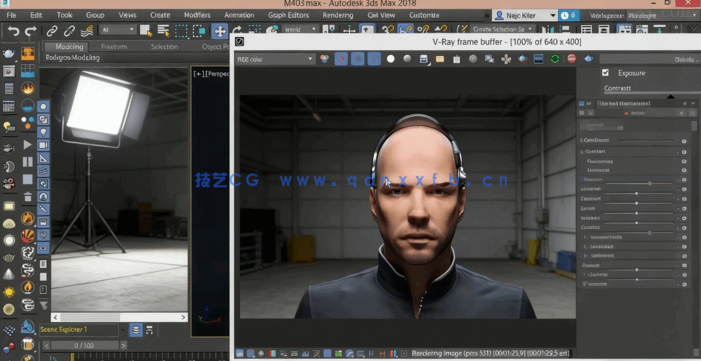
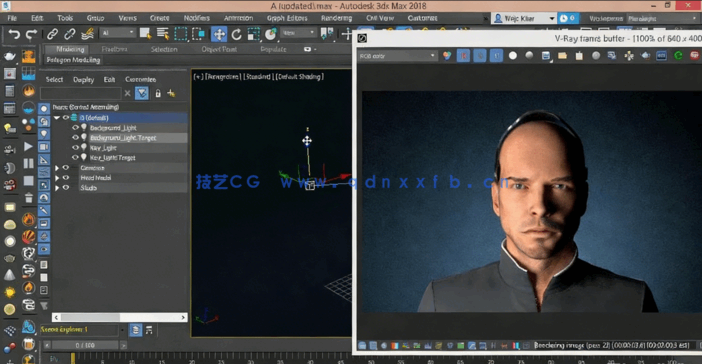
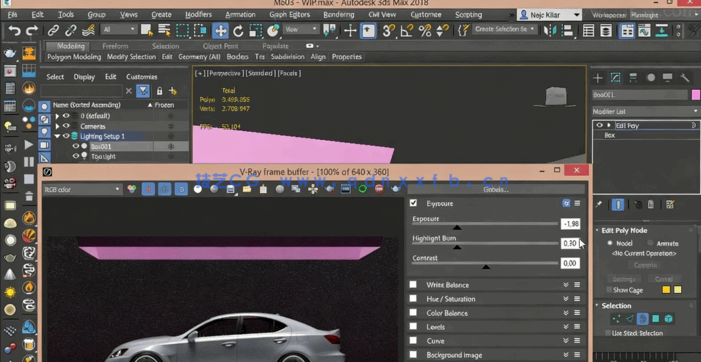
本教程是关于3ds Max与V-Ray照明渲染技术工作流程视频教程,时长:3小时11分,MP4高清视频格式,附工程源文件,教程使用软件:3ds Max,作者:Nejc Kilar,共28个章节,语言:英语。
3D Studio Max,常简称为3ds Max或MAX,是Autodesk公司开发的基于PC系统的三维动画渲染和制作软件。其前身是基于DOS操作系统的3D Studio系列软件。在Windows NT出现以前,工业级的CG制作被SGI图形工作站所垄断。3D Studio Max + Windows NT组合的出现一下子降低了CG制作的门槛,首选开始运用在电脑游戏中的动画制作,后更进一步开始参与影视片的特效制作,例如:《X战警II》,《最后的武士》等。
VRay是由chaosgroup和asgvis公司出品的一款高质量渲染软件。VRay是目前业界最受欢迎的渲染引擎。基于V-Ray 内核开发的有VRay for 3ds max、Maya、Sketchup、Rhino等诸多版本,为不同领域的优秀3D建模软件提供了高质量的图片和动画渲染。除此之外,VRay也可以提供单独的渲染程序,方便使用者渲染各种图片。
Studio lighting is used in many fields, for everything from product visualizations and character shots to car renders and more. Studio lighting allows you to showcase what you’ve created, giving it a bit of mood, while keeping it clean and presentable. In this course, Studio Lighting Techniques with 3ds Max and V-Ray, you’ll learn some of the fundamental tips, tricks, and techniques that you’ll need in your workflow to create great-looking studio renders. First, you’ll the basics of what makes up a typical studio render and how you can read existing renders (or photos) from other artists so that you can improve your understanding of their technique. Then you’ll tackle some of the more technical topics that will help you understand how V-Ray works and how you can easily optimize your studio renders to make them faster. Next, you’ll dive into the practical part of the course by creating a few basic product renders that will give you an idea of how you can approach your product visualizations. You’ll be lighting a chocolate figure while incorporating everything you’ve learned so far. You’ll then tackle a different challenge: lighting a portrait of a male model, where you will try to create a few moody yet realistic images. Finally, you will explore how to light a car in a typical studio environment. Working with a reflective material such as car paint presents a serious challenge, but you’ll document the process in detail as you go about creating the final render. By the end of the course, you’ll be equipped with the knowledge and techniques to create your own studio renders.

也许你也喜欢下面的资源…
| 下载类型 | 提取码 | 下载链接 |
|---|---|---|
|
提醒:链接失效请发送资源编号:1166 至 jykjqqcom@qq.com 或 点击“留言站长”进行留言,每次奖励10元!统一解压密码:jy3d.cn
非会员可单独购买,非会员单价为:¥1, 点击下方“立即下载”即可进行购买, 建议 加入会员直接下载:点击加入。 |
||
| 百度网盘 | 3jhu | 立即下载 |
2.禁止会员账号共享、代下、素材倒卖以及非法传播,违站将封禁账号。
3.如果源码网盘地址失效!或有其他问题,请联系值班站长,谢谢合作!联系E-mail:jykjqqcom@qq.com 。
相关软件推荐……

Affinity Designer初学者创建曼陀罗对称平面矢量图形视频教程
建立你自己的免费AI艺术图像生成器视频教程
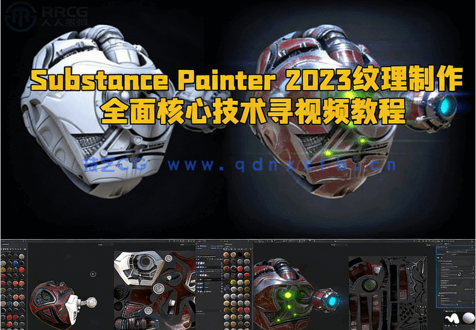
Substance Painter 2023纹理制作全面核心技术训练视频教程

Gogo Yubari《杀死比尔》影视角色雕刻手办3D打印模型
付费服务
| 免费售后服务 | 1、VIP内容更新; |
| 2、资料下载问题解决,如下载链接失效; | |
| 3、VIP会员服务; | |
| 4、资源代找; | |
| 付费增值服务 | 5、3dsmax 效果图写实培训; |
| 6、AI 建筑可视化教程; | |
| 7、3D 精品模型素材包; | |
| 8、VRay 材质预设合集; | |
| 9、软件、插件、系统等远程安装、激活服务; | |
| 10、效果图、模型、毕业设计等代渲染服务; | |
| 11、VIP定制化服务:企业定制培训、个人定制化学习等; | |
| 12、网站建设服务,如本类型网站建设。 | |
| 售后服务时间 | 周一至周日(法定节假日除外) 9:00-23:00 |
| 非售后服务范围 | 自身原因导致的问题! |
 客服微信
客服微信